November 10, 2026●3 min read
Rob Run Aimbot Hack: What Each of the 18 Options Does
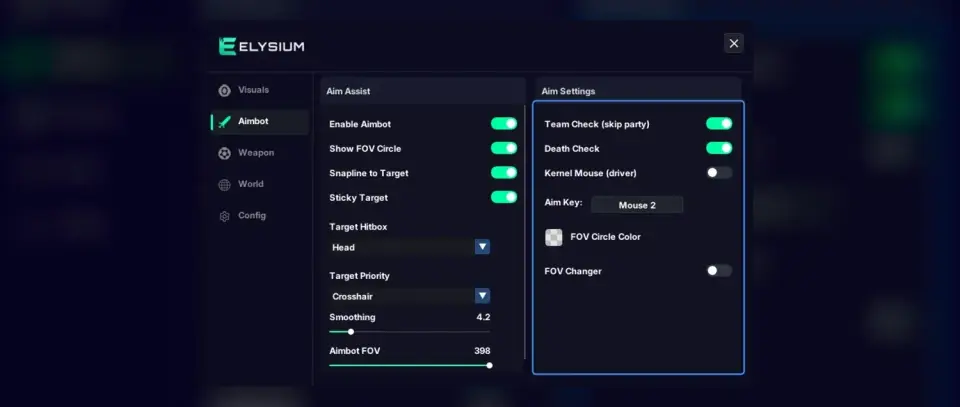
Aim key, FOV, smoothing, target bone, priority, prediction and the skip filters, each explained by the question it answers in the Rob Run aimbot hack.
Read Article
RCS Pull Down and Jitter, Full Automatic, Rapid Fire on Mouse 4 and Instant Loot Reveal. What each does and what the risk labels in the Weapon tab mean.
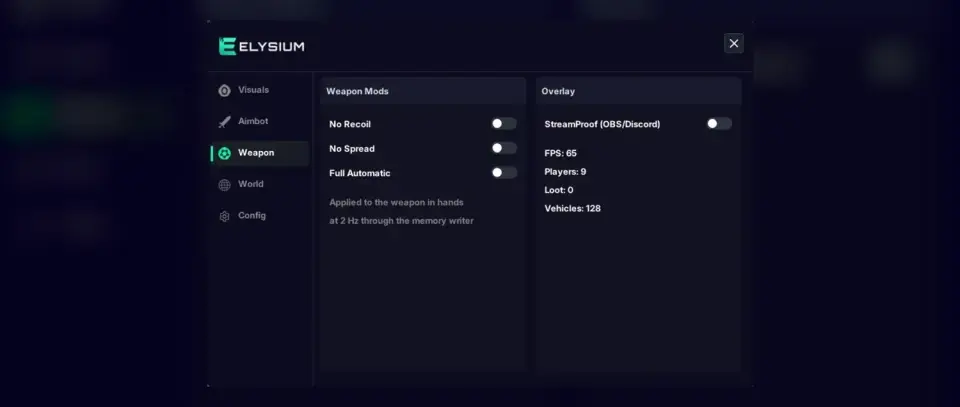
Recoil is the reason a lot of Rob Run gunfights go wrong. The first shot lands, the next few climb over the target's head, and by the time you pull the mouse down the fight is over. The Weapon tab in Elysium RR is where our rob run hacks deal with that, along with a few options about how your gun fires. It is also the tab with the most risk labels, so this article is as much about when to leave things off as when to turn them on.
Elysium RR handles recoil with two separate controls, each paired with its own speed.
RCS Pull Down drags your aim downward while you fire, to counter the upward kick. RCS Pull Down Speed sets how hard it pulls.
This option carries the label Not Tested, Can be risky in the menu. It means exactly what it says: the option has had less testing than everything around it. If you try it anyway, keep the speed low at first, since excess pull sends shots into the street in front of the target. Raise it slowly until a short burst stays roughly level, and stop there.
RCS Jitter is the second recoil control, aimed at the smaller shake in your aim rather than the main climb. RCS Jitter Speed controls how fast it acts. Some weapons barely need it, others feel noticeably steadier with it on. Treat it as a second step: get the pull down feeling right first, then add jitter only if the gun still wanders.
Two options change your fire rate rather than your aim.
Of the two, Rapid Fire is the more controlled choice, because you only trigger it when you mean to.
Instant Loot Reveal looks out of place in a weapon tab, but it lives here. It reveals loot straight away instead of making you wait. It pairs well with Container Contents and Cash ESP from the World tab if you spend a lot of time searching.
The Weapon tab also holds StreamProof. With it on, the overlay and menu do not appear in OBS or Discord capture. If you record or stream, turn it on before you go live rather than in the middle of a session.
The tool marks some options so you can make your own decision. Here is how we would read them:
| Label | What it means for you |
|---|---|
| No label | Part of the normal feature set |
| Risky | Higher risk than the rest of the tool |
| Not Tested, Can be risky | Not fully tested yet, plus higher risk |
No label does not mean safe. The game runs Easy Anti-Cheat, and every rob run hack carries a ban risk. The labels only tell you which options add more on top of that.
Recoil control is the part of rob run hacks that is easiest to overdo, so make small adjustments, one at a time.
Ready to Play?
ESP, aimbot, car ESP, world markers and radar. From $14.99 for 7 days.