Aim key, FOV, smoothing, target bone, priority, prediction and the skip filters, each explained by the question it answers in the Rob Run aimbot hack.
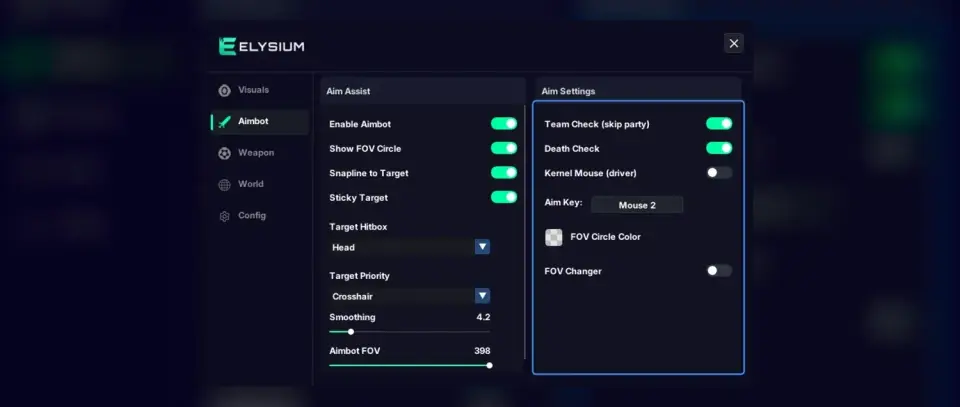
An aimbot menu can look like a wall of sliders. In Elysium RR there are eighteen aimbot options, and each one answers a simple question about how the aim should behave. Read them that way and the tab stops being confusing. This is a reference for what every option does in the aimbot part of our rob run hacks, grouped by the question it answers. For tuning advice by situation, there is a separate article on aimbot settings.
When does it aim?
Enable Aimbot: The master switch for the whole tab.Aim Key: The aimbot only acts while this key is held. Release it and your mouse is fully yours again. Pick a key you can hold without taking a finger off movement.Sticky Target: Once the aimbot picks someone, it stays on that person while the key is held instead of jumping to whoever drifts closer to your crosshair.Where does it look?
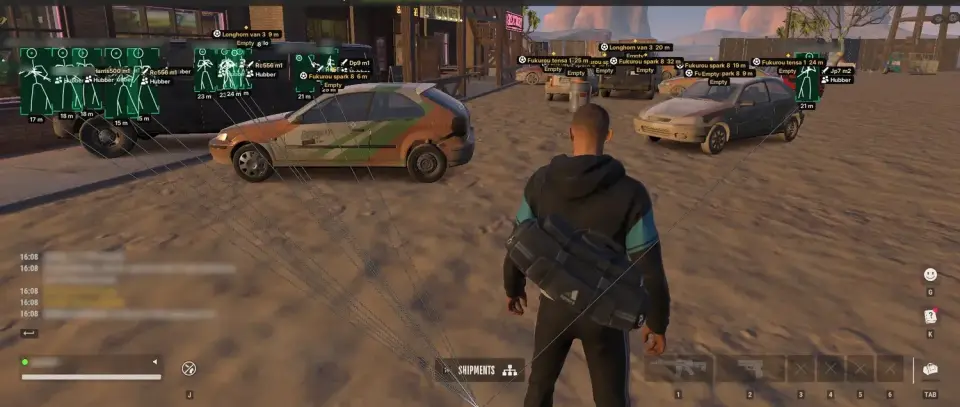
Aimbot FOV: The size of the area around your crosshair in which the aimbot will consider targets. Small means it only steps in once your crosshair is near a player. Large means it can pull from further across the screen.Show FOV Circle: Draws that area on screen so you can see it. Very useful while setting up, optional afterwards.Max Aim Distance: Players further away than this are ignored, no matter where they are on screen.Snapline to Target: Connects your crosshair to the player currently selected, so the choice is never a surprise.Which part of the body?
Target Bone: The point on the body the aimbot aims for, such as the head or the chest. Head is the obvious choice for damage, while a body bone is a bigger, steadier point on a moving player.Who comes first?
Target Priority: When more than one valid player is inside the FOV, this decides which one wins. Look through the choices in the menu and test each one for a few fights. A rule that favours where you were already looking tends to feel the most predictable, because the aim goes where your eyes already are.How fast does it move?
Smoothing: Controls how gradually the aim travels to the target. Low smoothing snaps quickly. Higher smoothing turns the movement into a steady glide that is easier to follow and control with your own hand.What about moving players?
Prediction (velocity lead): Leads a running player by their speed, so shots arrive where they are going rather than where they were.Lead Strength: How far ahead it leads.Prediction Strength: How strongly the prediction is applied overall.If your shots land behind a running target, prediction is the setting to look at, not smoothing.
Who should it ignore?
Skip Same Role: Ignores players with your role. If you are a cop, other cops are skipped.Skip Party Members: Ignores players in your party.Skip Downed Players: Ignores players who are knocked out, so it does not lock onto someone who is no longer a threat.Team Check: Ignores your own team.Death Check: Ignores dead players.Most people should keep Team Check and Death Check on permanently, and decide on the others per session.
How it all fits together
Think of the aimbot in these rob run hacks as a funnel. The filters remove people who should never be targeted. Max Aim Distance and Aimbot FOV narrow the rest down to players near your crosshair and within range. Target Priority picks one. Target Bone chooses the point, prediction adjusts it for movement, and Smoothing decides how fast you get there. All of it happens only while the Aim Key is down.
Aiming help is the most visible of all rob run cheats. The game runs Easy Anti-Cheat, so a ban is always possible with any rob run hack. Once the tab is set the way you like, save it as a config and bind a hotkey to the aimbot so you can switch it off without opening the menu.